
Two people. Two reactions. One dance.
Smalltown Boy AI Video Generator
Turn two photos into the Smalltown Boy scream-and-dance video. Choose who goes first, follow the full 24-second routine or a shorter opening, and download a vertical MP4 with the template soundtrack.
Choose your two photos- 2 photos · 2 people
- Full 24s or 5 / 10 / 15s opening
- 9:16 MP4 · soundtrack included
- Full 24s from 206 credits
24s · 480p · 9:16 MP4 · soundtrack included
Clear faces and visible clothing help. Exact faces, clothing and motion may vary.
For a new buyer: Plus, $19 once for 300 credits, covers this 206-credit selection.
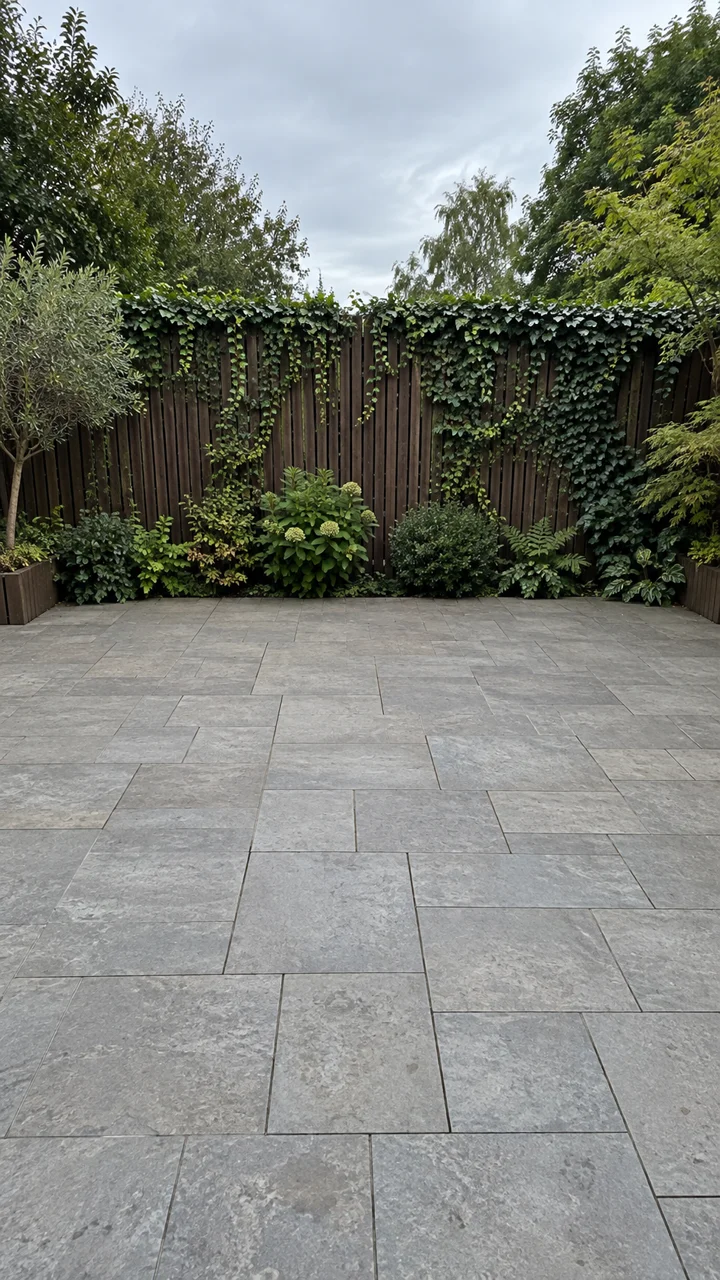
Reference preview — your selected length. Your photos replace the two people.
Smalltown Boy AI video at a glance
- Photos
- Two human subjects, one per photo. An optional background photo adds a setting, not a third dancer.
- Full routine and shorter clips
- 24 seconds with Seedance 2.5. The 5, 10 and 15-second options are openings, not sped-up full routines.
- Download
- Vertical 9:16 MP4, with the template soundtrack. 480p, 720p or 1080p where the selected model supports it.
- Setting
- Original courtyard, red fence, living room or your own background photo.
- Prompt
- No prompt needed. The template supplies the two roles, dance moves and camera sequence.
- Generation credits
- Full 24s: 206 credits at 480p. Short openings start at 12 credits. Both people’s preparation and the soundtrack are included.
- Watermark
- Videos made before your first purchase carry a small moving watermark; any purchase unlocks the clean original, including videos you already made.
- Failed generation
- Credits charged for a failed video task are returned to your balance.
Page facts checked October 10, 2026. Generated motion and likeness can vary.
Photo 1 or Photo 2: who screams first?
The upload slots decide the pairing throughout the Smalltown Boy dance. Swap the photos before generating to reverse the roles.
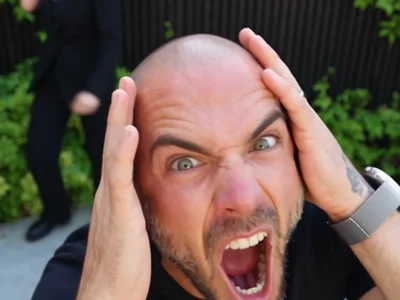
Photo 1 opens the video
This person takes the first close-up with their hands on their head, moves behind the second person for the next reaction, and stands on the viewer’s left in the duo dance.
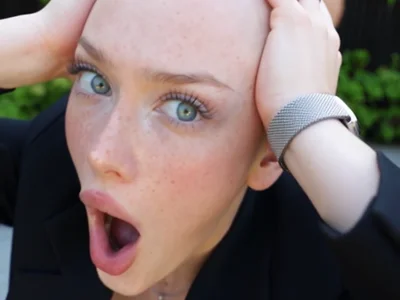
Photo 2 takes over
This person dances in the background first, gets the second close-up, and stands on the viewer’s right when both people dance together.
Role reference stills from the template; your uploaded people replace these performers.
The full 24 seconds, or just the opening?
These are the Smalltown Boy dance moves in the reference. The full version includes both reactions, the duo dance and the final lunge; generated timing may vary.
- 0–7sPhoto 1 reacts close to the camera; Photo 2 dances behind.
- 7–14sThe camera switches to Photo 2, with Photo 1 in the background.
- 14–16.3sBoth people perform the hand-jive section together.
- 16.3–18.2sA lower camera angle captures the bouncing dance.
- 18.2–19.7sA full-body reaction sets up the ending.
- 19.7–24sBoth people move toward the lens for the final lunge.
5s shows the first reaction. 10s reaches the second person’s close-up. 15s reaches the start of the duo dance. Choose 24s for the whole sequence.
Make your video in three steps
- 01
Upload and assign both people
Choose a clear photo of each person. Put the opener in Photo 1 and the second person in Photo 2. Check both previews and swap them if needed.
- 02
Choose the routine and check the cost
Keep the full 24-second version or choose a shorter opening. Select the model, resolution and background, then check the credit charge and watermark status.
- 03
Review and download
The generator prepares both people, creates the video and adds the soundtrack. Review the faces and handoff when it is ready, then download the MP4.
Keep the pairing. Choose the setting.
Clear, well-lit photos with visible faces work best. Clothing and more of the body give the model useful visual information. Avoid heavy blur, distant faces, sunglasses and covered eyes or mouths.
A character reference is prepared for each person before the video. This helps guide the close-ups and wider shots, but faces, clothing, hands and movement can still change. Exact likeness in every frame is not guaranteed.
Keep the original courtyard, choose the red fence or living room, or upload a scene without extra people. A new setting can change the lighting and framing; the moving scene may not reproduce every background detail.
Models, resolutions and credits
One quote covers both people’s preparation, video generation and the soundtrack. Full routines use Seedance 2.5. Other models offer the first 5, 10 or 15 seconds.
Full 24-second routine · Seedance 2.5
| Resolution | Credits | Lowest sufficient single pack for a new buyer |
|---|---|---|
| 480p | 206 | Plus · $19 / Costs 300 credits |
| 720p | 454 | Pro · $39 / Costs 700 credits |
| 1080p | 800 | Studio · $99 / Costs 2800 credits |
Short openings · credits per video
| Model / resolution | 5s | 10s | 15s |
|---|---|---|---|
| Seedance 2.5 · 480p | 49 | 90 | 132 |
| Seedance 2.5 · 720p | 101 | 194 | 287 |
| Seedance 2.5 · 1080p | 173 | 338 | 503 |
| Seedance 2.0 Mini · 480p | 12 | 17 | 21 |
| Seedance 2.0 Mini · 720p | 18 | 28 | 37 |
| Seedance 2.0 Fast · 480p | 25 | 42 | 59 |
| Seedance 2.0 Fast · 720p | 44 | 81 | 118 |
| Seedance 2.0 · 480p | 36 | 65 | 94 |
| Seedance 2.0 · 720p | 69 | 131 | 193 |
| Seedance 2.0 · 1080p | 163 | 317 | 472 |
The default 24s / 480p video uses 206 credits. For a new buyer, Plus is the lowest sufficient single pack: $19 for 300 credits. A pack purchase and one video’s credit charge are different amounts. Short openings start at 12 credits for 5s / 480p with Seedance 2.0 Mini. Buying credits is a one-time purchase; there is no subscription.
Uploading photos does not make generation free. Check your quote before starting. A failed video task returns the credits charged for that task.
Does the downloaded MP4 include the song?
Yes. The template soundtrack is included in the MP4, using the same section as your chosen reference length. It is not just playing over the page preview. If the soundtrack cannot be included, the task fails and the generation credits are returned. The full 24-second reference’s music ends at about 21 seconds; the final seconds of the video have no music.
The Smalltown Boy dance meme here is the two-person AI scream-and-dance sequence set to “Smalltown Boy” by Bronski Beat. If you found the dance trend on TikTok or Reels, watch the reference to check that this is the version you want.
This template does not accept custom music. Export support does not grant music rights or guarantee a social platform will keep the soundtrack unchanged.
Buy credits once
Choose a pack that covers your selected video. The full 24-second 480p routine uses 206 credits.
Starter
For trying the trend
100 credits, one-time
For shorter openings; below one full 24s video
- Credits never expire
- Watermark-free videos, including ones you already made
- Every model, length and resolution
- Failed videos refunded
- Email support
Plus
For a few videos with friends
300 credits, one-time
211 + 89 bonus credits
+42% bonus1 full 24s / 480p videos
- Credits never expire
- Watermark-free videos, including ones you already made
- Every model, length and resolution
- Failed videos refunded
- Email support
Pro
HotFor regular creators
700 credits, one-time
433 + 267 bonus credits
+62% bonus3 full 24s / 480p videos
- Credits never expire
- Watermark-free videos, including ones you already made
- Every model, length and resolution
- Failed videos refunded
- Priority support
Studio
Best valueFor pages and agencies
2,800 credits, one-time
1,100 + 1,700 bonus credits
+155% bonus13 full 24s / 480p videos
- Credits never expire
- Watermark-free videos, including ones you already made
- Every model, length and resolution
- Failed videos refunded
- Priority support
Questions before you generate
How many photos do I need?
Upload two photos with one person in each. Photo 1 takes the first close-up and Photo 2 takes the second. An optional background photo sets the scene and does not add another dancer.
Can I swap who screams first?
Yes. Use “Swap the two photos” before generating. Photo 1 is the opener and stands on the left during the side-by-side dance; Photo 2 takes the second close-up and stands on the right.
Can a 5 or 10-second video include the whole dance?
No. The 5, 10 and 15-second options are opening sections of the reference. Choose the 24-second Seedance 2.5 version for both reactions, the shared dance and the ending.
Do I need to write a Smalltown Boy AI video prompt?
No. Upload the two photos and choose your settings. The template supplies the roles, action sequence and camera movement.
Will it keep our faces and clothes exactly?
Exact consistency is not guaranteed. Clear inputs help, and each person gets a prepared character reference. Review the close-up handoff, wider dance shots and final movement for changes in faces, clothing and hands.
Can I change the background?
Yes. Choose the original courtyard, red fence or living room, or upload your own background photo. The setting is reconstructed for the moving scene, so not every detail may match your image.
Can I upload a pet or add more people?
This template supports two human subjects, one per photo. Pets and larger groups are not supported.
How much does a Smalltown Boy AI video cost?
The default 24s / 480p video uses 206 credits. For a new buyer, Plus is the lowest sufficient single pack: $19 for 300 credits. A pack purchase and one video’s credit charge are different amounts. Short openings start at 12 credits for 5s / 480p with Seedance 2.0 Mini. Buying credits is a one-time purchase; there is no subscription.
Is it free or watermark-free?
Generation uses credits; uploading photos is not a free generation offer. Videos made before your first purchase carry a small moving watermark; any purchase unlocks the clean original, including videos you already made.
What if my photos are rejected or the video fails?
A failed task returns its generation credits to your balance. If input review refuses a photo, follow the displayed advice and choose different photos before starting a new task.
Can I post the Smalltown Boy dance on TikTok?
You can download a vertical 9:16 MP4 with the template soundtrack, review it and upload it as a social video. Platforms may handle music differently; exporting does not guarantee music permissions or reach.